Prerequisites
Contact CData Support to obtain a Client Id and Client Secret to enter in Agent Bricks. You must provide support with your callback URL specific to your Agent Bricks instance. This is found in the beginning of the Agent Bricks URL. You must also connect at least one data source to your Connect AI account. See Sources for more information.Connect to the Connect AI MCP Server
Follow these steps to connect to Connect AI in Agent Bricks:Sign in to Databricks or create a new account.
In Step 1: Connection basics, enter the following:
- Connection name–your user-defined connection name.
- Connection type–select HTTP.
- Auth type–select OAuth User to Machine Per User. Click Next.
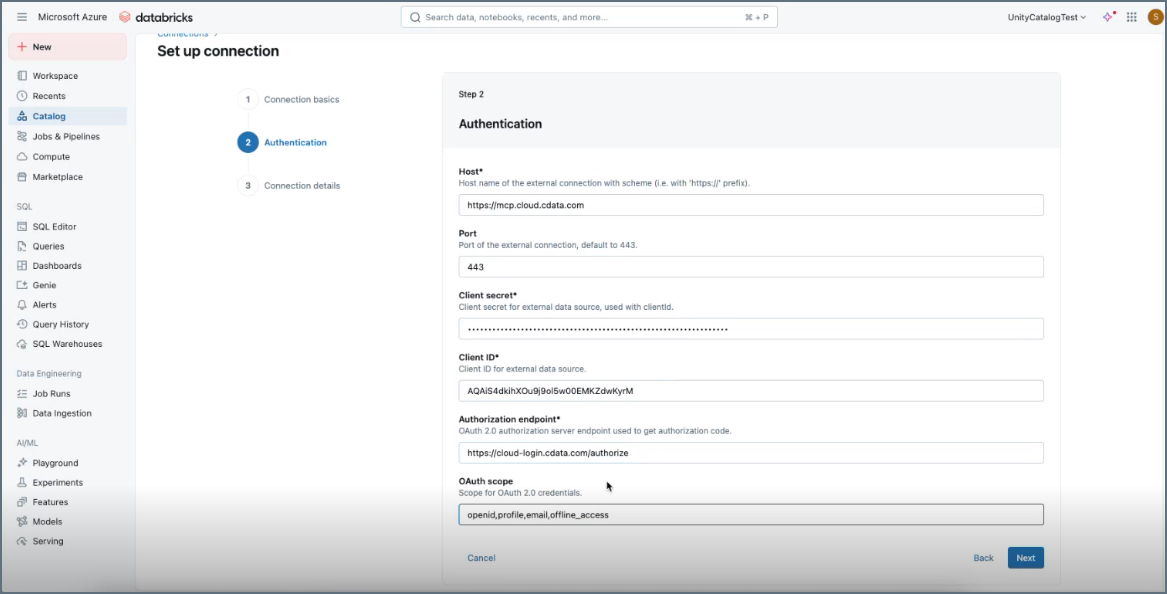
In Step 2: Authentication, enter the following:
- Host–enter
https://mcp.cloud.cdata.com. - Port–leave the default port.
- Client Secret–enter the Client Secret provided by the CData support team.
- Client ID–enter the Client Id provided by the CData support team.
- Authorization endpoint–enter
http://cloud-login.cdata.com/authorize. - OAuth scope–enter openid,profile,email,offline_access.
Click Next.
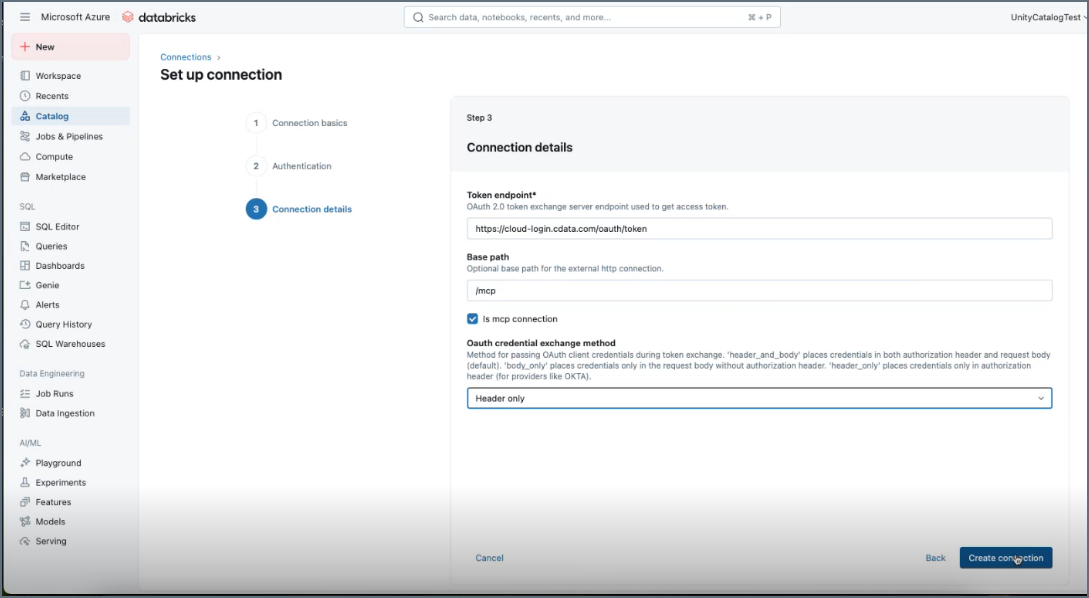
In Step 3: Connection details, enter the following:
- Token endpoint–enter
https://cloud-login.cdata.com/oauth/token. - Base path–enter /mcp.
- Is mcp connection–select this.
- Oauth credential exchange method–select Header only.
Click Create connection.