

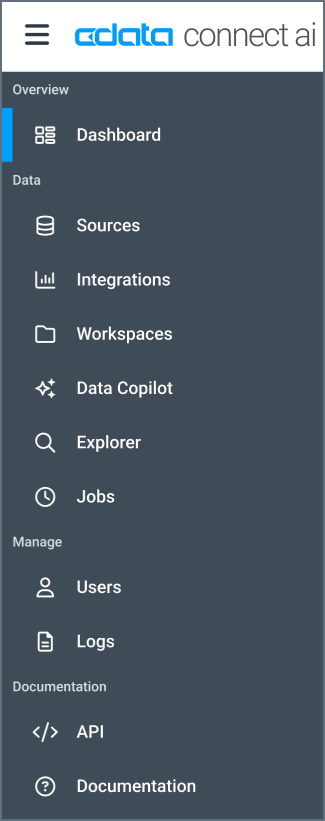
- Dashboard provides a concise view of information for connections and queries.
- Sources contains controls for adding and managing data sources.
- Integrations provides assistance with connecting integration tools to Connect AI.
- Workspaces provides assistance with creating and managing Connect AI workspaces and assets.
- Data Copilot provides an interface to ask Connect AI natural-language questions about your data.
- Explorer provides the ability to manage queries and derived views for your connections.
- Jobs enables you to create, manage, and run caching and scheduled query jobs.
- Users enables you to invite and manage users.
- Logs contains detailed logs for your Connect AI account.
- API provides documentation for connecting to data via REST API, OData, or OpenAPI.
- Documentation is the link to the home page of the documentation.
- A clickable icon that toggles the display of the left-pane navigation menu:

- A Question Mark icon, which opens this documentation to the Getting Started page.
- A Gear Icon, which opens your Connect AI Settings.
- Your username, which you can click to open a drop-down menu that allows you to Sign out.